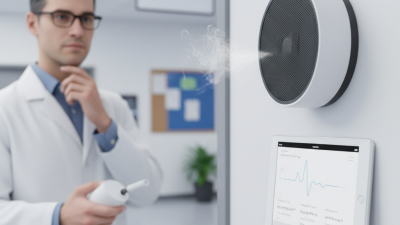
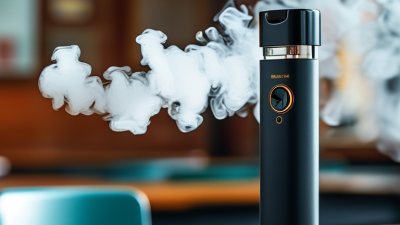
Choosing a Vape Detector is not just a matter of comparing prices or counting sensors. The right system should suit your building, explain its alerts clearly, and fit the way your team already handles maintenance. A quiet corridor, a busy restroom, and a changing room can present very different monitoring needs. One device rarely answers every question.
As a practical guide, consider this proposed expert line for review by a real technical specialist: “A detector earns trust when its alerts are clear, consistent, and easy to act on.” — Jordan Lee, placeholder name for a Vape Detector industry expert. This is an editorially drafted quote, not a verified statement from a named expert. Before publication, replace it with an approved quote from a qualified professional.
Look closely at detection methods, coverage, installation requirements, alert settings, and ongoing costs. Ask how the device distinguishes relevant events from ordinary background conditions, such as cleaning activity or strong fragrances. Check whether staff can review alert history without specialist software. Confirm who receives notifications, and what steps follow an alert. These details matter when a device is mounted above a tiled ceiling or monitored by a small facilities team.
Good selection also means admitting what a detector cannot do. It can provide useful signals; it cannot replace clear procedures, thoughtful placement, or human review. Compare vendors using the same questions, request realistic demonstrations, and document the reasons behind your choice. A little skepticism helps. Choose a Vape Detector that supports a practical, measured response—not simply one with the longest feature list.
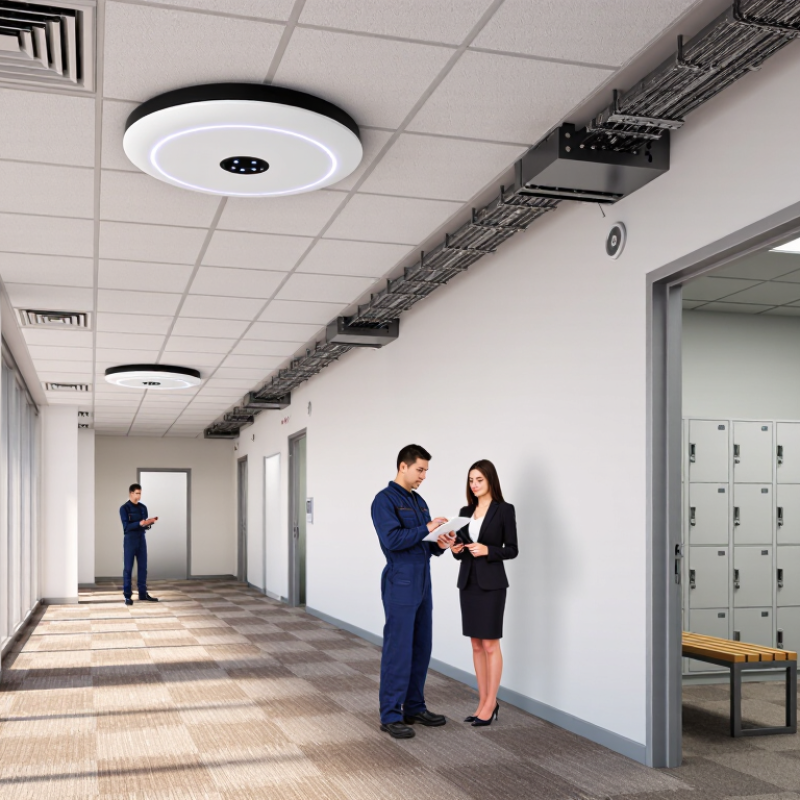
Vape detectors monitor changes in indoor air. Many use optical sensors that detect particles scattering a beam of light. Others measure volatile organic compounds, or combine both methods. When readings pass set thresholds, the device sends an alert. Some units also track temperature or humidity to reduce false alarms. Not magic.
Sensor choice matters because steam, dust, and cleaning products can affect readings. The CDC’s 2023 National Youth Tobacco Survey estimated that 2.13 million U.S. middle and high school students currently used e-cigarettes. This figure offers context, but it does not measure workplace incidents or detector accuracy. A detector identifies unusual air patterns; it cannot confirm the source by itself.
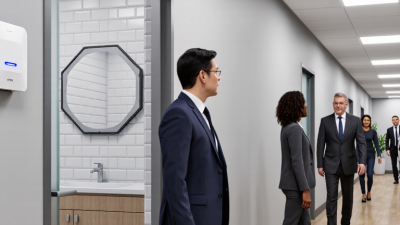
A useful detector starts with a clear picture of where monitoring is needed. Walk through the building at different times of day. Note rooms with repeated concerns, such as a washroom with a weak exhaust fan or a changing area used between classes. Record room size, ceiling height, airflow, and how often people pass through. A busy corridor and a small enclosed room need different coverage.
Then decide what an alert should help staff do. If a notification arrives after a room has emptied, it may be less useful than one that identifies the location quickly. Check whether the system can distinguish routine environmental changes from events that deserve attention. Ask for test data under conditions similar to your site, including rooms with cleaning products or strong ventilation. No sensor is perfect. That matters.
Placement deserves practical attention, too. Airflow from a vent can affect readings, while a high ceiling may complicate access for maintenance. Map proposed locations before installation, and consider who will receive alerts, how they will respond, and how often equipment will be checked. Avoid collecting more information than the monitoring task requires. It can be tempting to cover every room at once, but a small pilot may reveal overlooked problems. Even a simple floor plan can help. Revisit your assumptions after staff use the system for a few weeks.
Identify the monitoring needs that matter most in your setting.
These illustrative planning scores use a 1–5 scale, where 5 means a higher priority. Adjust them to reflect your site’s layout, risk areas, alert-response capacity, privacy requirements, and maintenance resources. They are not industry benchmark data.
Optical particle sensors respond quickly to aerosol clouds, making them useful in restrooms and changing rooms. But steam from a shower or dust from cleaning can trigger alerts. A gas sensor adds another signal, though it may react to fragrances or cleaning products. National Academies’ 2018 review found that e-cigarette use can increase indoor airborne particulate matter and nicotine. That supports monitoring the air, but it does not make any single sensor fully specific.
Look for devices that combine particle and gas readings, log events, and let staff review alerts before acting. Placement matters: a unit beside an air vent may miss a brief plume, while one near a sink may confuse steam with an event. CDC’s 2023 National Youth Tobacco Survey reported 2.13 million U.S. middle and high school students currently used e-cigarettes; it is useful context, not a forecast of incidents at your site. Check sensor calibration intervals, response time, alert history, and integration with existing building systems. Ask how the unit performs during routine cleaning. No sensor is perfect. I would test it in the actual room, then adjust placement after reviewing false alarms.
Evaluating Installation, Privacy, and Maintenance
A detector is only useful when its placement suits the room. In a hallway, airflow and open doors can affect readings. Near a ventilation outlet, results may be less dependable. Ask an installer to map likely locations, test coverage, and explain blind spots before mounting equipment. A quick walkthrough matters. Avoid spots where shelving, cleaning, or ceiling work could block access. Privacy deserves equal care. Choose systems that measure environmental changes without recording conversations or identifying individuals. Tell staff what data is collected, who can view it, and how long it is kept. These details are easy to overlook.
Maintenance affects trust. Check sensor status on a fixed schedule, clean units as directed, and record battery changes or service visits. Ask how the system signals a fault; a silent failure can look like a quiet room. Review false alerts with facilities staff and note conditions such as cleaning sprays or strong airflow. A detector cannot replace clear, respectful communication. One awkward point: staff may still feel watched, even with privacy-friendly equipment. Explain the system’s limits plainly, then revisit placement after the first few weeks. No setup stays perfect forever.
A detector’s purchase price reveals little about its long-term value. Compare total costs: installation, network access, calibration, software, maintenance, and replacement parts. Ask how alerts reach staff and whether they include timestamps and room locations. Small details matter.
The CDC’s 2023 National Youth Tobacco Survey reported that 2.13 million U.S. middle and high school students currently used e-cigarettes. This school survey does not predict incidents in a workplace or venue. It does show why some operators assess indoor monitoring as part of their building plans. Choose equipment suited to the space: a small restroom and a large changing area may need different sensor coverage. Ask for documented testing conditions, response times, and false-alarm handling. A detector identifies an event; it does not explain every cause.
Estimate value using measurable outcomes, such as staff time spent investigating alerts, repeat incidents, and service visits. Review these figures after installation, then adjust sensor placement if certain rooms produce frequent nuisance alerts. Test it monthly. Keep a simple log. Reliability can decline when cleaning schedules, airflow, or room use changes. Budget for that possibility, not just the purchase. A lower-priced unit may cost more when alerts are hard to verify or support is slow. Conversely, not every site needs the most feature-rich system. Decide with actual operating data, and revisit the assumptions after a year.
Use the suggested weights below to compare options consistently. They are a practical evaluation framework, not a universal industry standard. Confirm performance, compatibility, and operating costs with current documentation and a site assessment.
| Evaluation Dimension | Suggested Weight | What to Assess | Evidence and Long-Term Value |
|---|---|---|---|
| Detection capability | 20% | Identify the types of airborne changes the device is designed to detect, such as particulate matter or volatile compounds. Check how it performs in the intended room conditions and what environmental factors may affect readings. | Request documented test methods, limitations, and results relevant to the intended use. Detection indicates a possible event; it does not by itself identify a person or prove what caused the reading. |
| Coverage and placement | 15% | Confirm the recommended coverage area, mounting height, airflow considerations, and any limits caused by partitions, ventilation, or room layout. Determine how many devices are needed for the site. | Ask for a room-by-room coverage plan and placement guidance. Appropriate placement can reduce blind spots and avoid unnecessary purchases or relocations. |
| Alert quality | 10% | Review alert thresholds, event logs, notification methods, escalation options, and whether staff can distinguish actionable alerts from routine environmental changes. | Pilot the system in representative spaces and track alert frequency and staff response. Clear, actionable alerts can reduce disruption and help avoid alert fatigue. |
| Integration and reporting | 10% | Check network requirements, supported interfaces, reporting tools, user permissions, and compatibility with existing security or building-management workflows. | Verify integrations in writing and test them before wider deployment. A workable integration can limit manual monitoring and make incident records easier to review. |
| Installation and scalability | 10% | Compare power and connectivity needs, installation requirements, configuration effort, and the process for adding or moving devices as the site changes. | Include installation, network work, configuration, and staff training in the rollout estimate. A documented expansion process can simplify deployment across additional rooms or sites. |
| Privacy and data controls | 10% | Determine what information is collected, where it is stored, who can access it, how long it is retained, and whether the device uses audio, video, or other personal data. | Review data-processing terms, retention settings, access controls, and security documentation. Choose settings that meet applicable laws and the organization’s policies. |
| Maintenance and support | 10% | Check calibration or verification requirements, cleaning instructions, consumable parts, software updates, warranty terms, and support availability. | Build recurring maintenance, replacement parts, support, and downtime into the ownership estimate. A clear service plan helps maintain reliable operation over time. |
| Total cost of ownership | 15% | Compare purchase or subscription costs with installation, connectivity, licensing, maintenance, support, training, and expected replacement costs over the planned evaluation period. | Use a consistent comparison period and request a written breakdown of recurring and one-time costs. A lower upfront price does not necessarily mean a lower long-term cost. |
| Suggested scoring method | — | Rate each dimension from 1 to 5: 1 = does not meet requirements; 3 = meets core requirements; 5 = strongly meets requirements with verifiable evidence. | Multiply each rating by its suggested weight, then add the results. Compare the weighted scores alongside documented limitations, site-pilot findings, and total cost—not as a substitute for them. |
Cost comparison: Estimate total cost of ownership as initial equipment and installation costs plus recurring connectivity, software, maintenance, support, training, and replacement costs over the same time period for every option.